
How Upwork identity verification works in 2026: ID and video checks, how to get the verified badge, why verification fails and what to do if it is rejected.
Upwork identity verification is how Upwork confirms that the person behind a freelancer account is who they say they are, using a government ID check, a short video or photo check, a phone code, or a mix of these. Upwork asks for it when you start out, before certain actions such as submitting a proposal, and at other points. According to Upwork, most people are verified within minutes after submitting clear, matching information, and you have seven days to finish once asked.
This guide explains each type of check, when Upwork asks for it, what to prepare, how the identity verification badge works, and what to do if verification fails. All rules come from Upwork's help center and User Agreement, checked on 23 November 2026. If your account is already on hold or suspended, read our guide to an Upwork account suspended after this one.
What is Upwork identity verification?
Upwork's main help article, How to verify your identity as a freelancer, lists the types of Upwork verification you may be asked to complete. Depending on your situation, it can be one or more of these:
| Check | What Upwork asks for |
|---|---|
| Government ID | A valid, government-issued photo ID with your name, photo, date of birth and address (address not required for passports) |
| Visual (video verification) | A short video call or a phone photo to confirm that the person in your ID matches your profile photo |
| Phone number | A code sent by SMS or call |
| Location for U.S.-only jobs | Proof that you are physically in the U.S. for certain jobs |
| Government ID and location | Both, for regulatory compliance |
Upwork also notes that it may require frequent verifications as part of routine checks, and that a request does not necessarily mean there is a problem with your account.

The three most common checks. Illustration only, not an Upwork screen.
When Upwork asks you to verify your identity
Upwork says it will tell you when identity verification or re-verification is required, and that you may be asked when you take certain actions, such as submitting a proposal. You might be asked if:
- You are new and just getting started
- You are applying to U.S.-only jobs
- Upwork needs to confirm account ownership, including for the U.S. Government Know Your Customer (KYC) compliance program
- Your account was suspended and you are resuming activity
- Upwork detects a possible mismatch or risk
- You are being re-verified periodically
Phone verification has its own trigger. Upwork's phone verification page says it asks you to verify your number before posting a job or submitting a proposal.
You have seven days to verify, or your account may be put on hold. The link in the email stays active for 30 days, but the seven-day deadline still applies.
How to verify your identity on Upwork, step by step
Start from the most recent verification email. Upwork says that if you got several requests, the latest one is the one that matters.
Government ID check
Upwork's government ID help explains the upload:
- Open the link in the latest email and follow the instructions.
- Use an ID that is on the list shown on the form. Accepted IDs vary by country and include passports, national ID cards (NIC/CNIC), driver's licenses, NBI Clearance (Philippines only), tax ID, voter ID, postal ID and other valid government-issued photo IDs that meet the criteria.
- Take the photo with the ID flat on a surface, from directly above, in natural light without flash.
- Make sure all four corners are visible, keep the image in full color and high quality (at least 200 dpi), and save it as PNG, JPEG, PDF or BMP.
- Do not crop, edit, rotate or adjust the image.
Upwork does not accept student, employee or library cards, handwritten, temporary or photocopied IDs, military IDs or health cards, or anything expired. If you do not have a government photo ID, or Upwork asks for more proof, the page lists alternatives such as a long-term visa, green card or residence permit, utility bill, bank or credit card statement, work permit, college enrollment papers or tax registration documents.
Video verification call
Upwork video verification is listed as the "Visual" check: a short video call or a phone photo that confirms the person in your ID matches your profile photo. Upwork says you need a phone with a working camera to scan a QR code, and your profile photo must clearly show you as you currently look. Keep your camera permission turned on in the browser and your face clearly lit.
Phone verification
Enter the code Upwork sends by SMS or call. Upwork says it cannot verify VoIP numbers, so use a regular mobile number. If the code does not arrive within a few minutes, check the number and your coverage and try again. If the number is already linked to an existing Upwork account, Upwork tells you to recover that account rather than open a new one, because you can only have one account.
How long does Upwork verification take?
Upwork says most users are verified within minutes. If the system cannot verify automatically, the ID is reviewed manually, and manual reviews typically take three to five business days. Upwork emails you if anything else is needed.
How to get the Upwork verification badge
The identity verification badge is a blue check mark next to your name. Upwork's badge page explains how to get it if you want to verify before you are asked:
- Go to Account settings (desktop) or Settings (mobile), then Identity Verification.
- Select Spend 35 Connects to get an IDV badge. If you do not have enough Connects, you will see an option to buy more.
- Complete verification within seven days of spending the Connects.
Things to know before you spend Connects:
- Connects are not refunded if you cannot complete verification for any reason, including missing the seven-day window.
- The badge is not required in all cases. Upwork says you need it to submit proposals for U.S.-only or U.K.-only jobs, and that you can still apply to most other jobs without it.
- The badge is valid for three years. After that, you re-verify to renew it, and a renewal purchase or Connects deduction may be required.
- The badge page says it should appear within three business days of successful verification. The main freelancer help article adds that, in most cases, the badge only appears after you accept your first contract.
Why Upwork ID verification fails and how to fix it
Upwork does not publish a full list of rejection reasons. The table below maps the requirements on its help pages to the practical fix when an Upwork ID verification failed or stalled.
| Likely cause | What Upwork requires | How to fix it |
|---|---|---|
| Document not accepted | A valid government photo ID with photo, signature, name, date of birth and address (passports need no address) | Use an ID from the list on the form, not a student card, copy, temporary or expired ID |
| Blurry, cropped or edited photo | Flat, from above, natural light, four corners visible, at least 200 dpi, unedited | Retake the photo following those rules |
| Name mismatch | Names must match across your ID, withdrawal method and tax info | Correct the details, or contact support about a name mismatch |
| Country or address mismatch | Country on the ID must match your profile; the address on the ID must match your profile | Update your profile to your real, current details |
| Profile photo does not match | Your profile photo must clearly show you as you look now | Upload a current, clear photo of yourself |
| VoIP phone number | VoIP numbers cannot be verified | Use a non-VoIP mobile number |
| Process stalls or times out | Upwork suggests basic troubleshooting | Clear the browser cache and cookies, or switch browser or device |
| Missed the deadline | Seven days to verify | Use the latest email; the account may be put on hold until you finish |
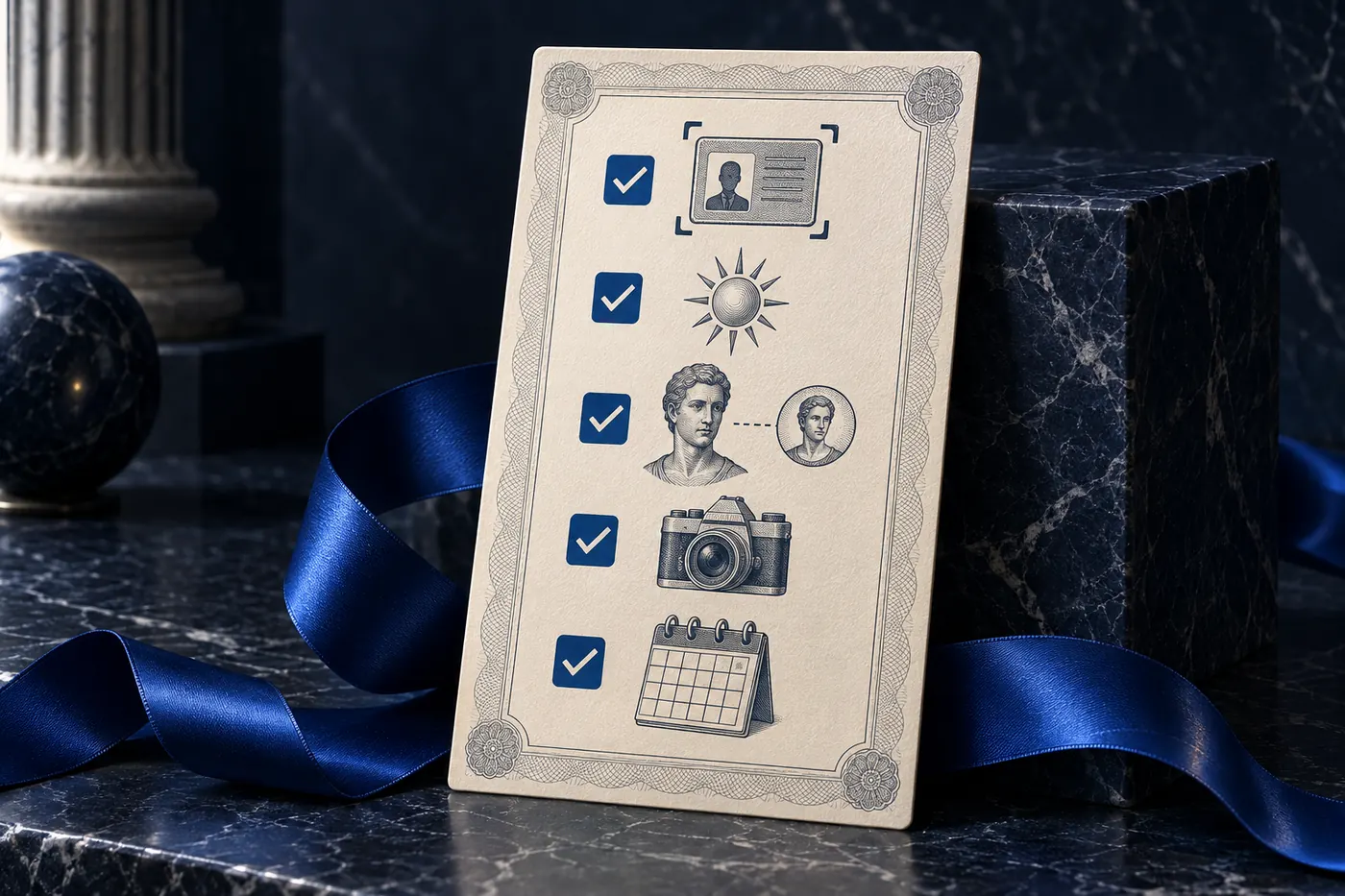
Before you start: the right document, natural light, a photo that matches you, a working camera and time before the deadline. Icons only.
What happens if you don't verify
Upwork lists the consequences plainly. If you do not complete verification, you cannot submit proposals, accept direct-hire offers or withdraw earnings. Your profile may be set to Private, active proposals are deleted without a Connects refund, the account may be suspended, and in serious cases funds may be returned to clients.
Upwork also warns that deliberately uploading falsified documents is a crime and will result in permanent suspension, and that it may report attempts to submit fake documents. If your account has already been put on hold or suspended, follow the appeal steps in our Upwork account suspended guide.
What Upwork does with your documents
According to the freelancer help article, Upwork deletes the government ID image you submit after 30 days, while its third-party verification provider keeps ID images for up to one year and selfie and liveness images for up to three years. Clients only see that you are verified, not your documents. Your verified name (the one on your ID) is shared with a client in the contract room once you enter a contract, as Upwork's verified name page explains. If you change your legal name, you need to re-verify.
What "verified" means when you hire or rent a profile
For clients and teams, the badge tells you one thing: Upwork has taken steps to verify the identity of the person who owns that account. It is tied to that person, their ID and their verified name, not to whoever happens to be using the login.

Verification belongs to a person, not to an empty profile frame. Concept illustration.
Upwork's rules make that explicit. The User Agreement says each person who uses the services must register for their own account, must not share their username or password, and must not log in with another user's credentials. If you need other people to work under your account, Upwork's route is Team Member or Agency Member permissions. Its help page on why you can't have two Upwork accounts adds that you should think of it as one Upwork account for life.
So if your own verification failed, renting someone else's verified profile is not a fix, and we do not present it as one. Fix your details and complete verification on your own account.
On AllProfiles, the Upwork accounts page says Upwork listings are limited right now and available on request, and that a marketplace listing does not change the platform's identity or account-use requirements. Our guarantees page explains that the Verified label on any listing is the provider's confirmation that the account is verified on its platform, not an AllProfiles government-ID audit. For a fuller discussion of the rules and risks, read Upwork account rental: rules and risks and our note on what ID-verified accounts can and cannot tell you. How AllProfiles works covers the process itself.
FAQ
How long does Upwork identity verification take?
Most users are verified within minutes after submitting clear, matching information, according to Upwork. If the ID needs a manual review, Upwork says that typically takes three to five business days, and it emails you if more is needed. You must finish within seven days of being asked.
Is Upwork identity verification mandatory?
Yes, when Upwork asks you. You have seven days, or the account may be put on hold, and without verification you cannot submit proposals, accept direct-hire offers or withdraw earnings. The paid badge is optional, except for U.S.-only and U.K.-only jobs.
What documents does Upwork accept for ID verification?
A valid government-issued photo ID with your photo, signature, name, date of birth and address, such as a passport, driver's license or national ID card. Passports do not need an address. Student, employee and library cards, copies, temporary, handwritten, military, health and expired IDs are not accepted.
What happens if Upwork identity verification fails?
Check the latest email for what is needed, fix the cause (document type, photo quality, name or country mismatch, VoIP number) and try again within the deadline. Manual review can take three to five business days. If the account is put on hold or suspended, follow Upwork's appeal process.
Can I use Upwork without the verification badge?
Yes. Upwork says you can still apply to most jobs without buying the badge, which costs 35 Connects. You need it for U.S.-only or U.K.-only jobs. Without the badge, you still have to complete any verification Upwork requests on your account.
Does a verified badge transfer if someone else uses the account?
No. The badge confirms the identity of the account owner, and the verified name shown to clients is the owner's. Upwork's User Agreement says each person must register their own account and not share passwords or log in with another user's credentials.
Next step
If you are evaluating Upwork profiles for a project, start with the Upwork accounts page and Upwork's current rules; listings there are limited and available on request. You can also browse Upwork profiles, the wider verified accounts catalog and more Upwork articles. Renters pay no platform commission on AllProfiles; the platform fee is deducted from the provider's payout. If you own accounts and want to list them, see for providers.
Upwork help center pages and User Agreement checked 23 November 2026. Upwork can change its process at any time.